Senior Tech Buying Guide
Best Smart Home Devices for Aging in Place: 2026 Guide
Smart home devices can make aging at home easier, but only when they simplify a real routine. A house full of apps is not the same as a safer home.
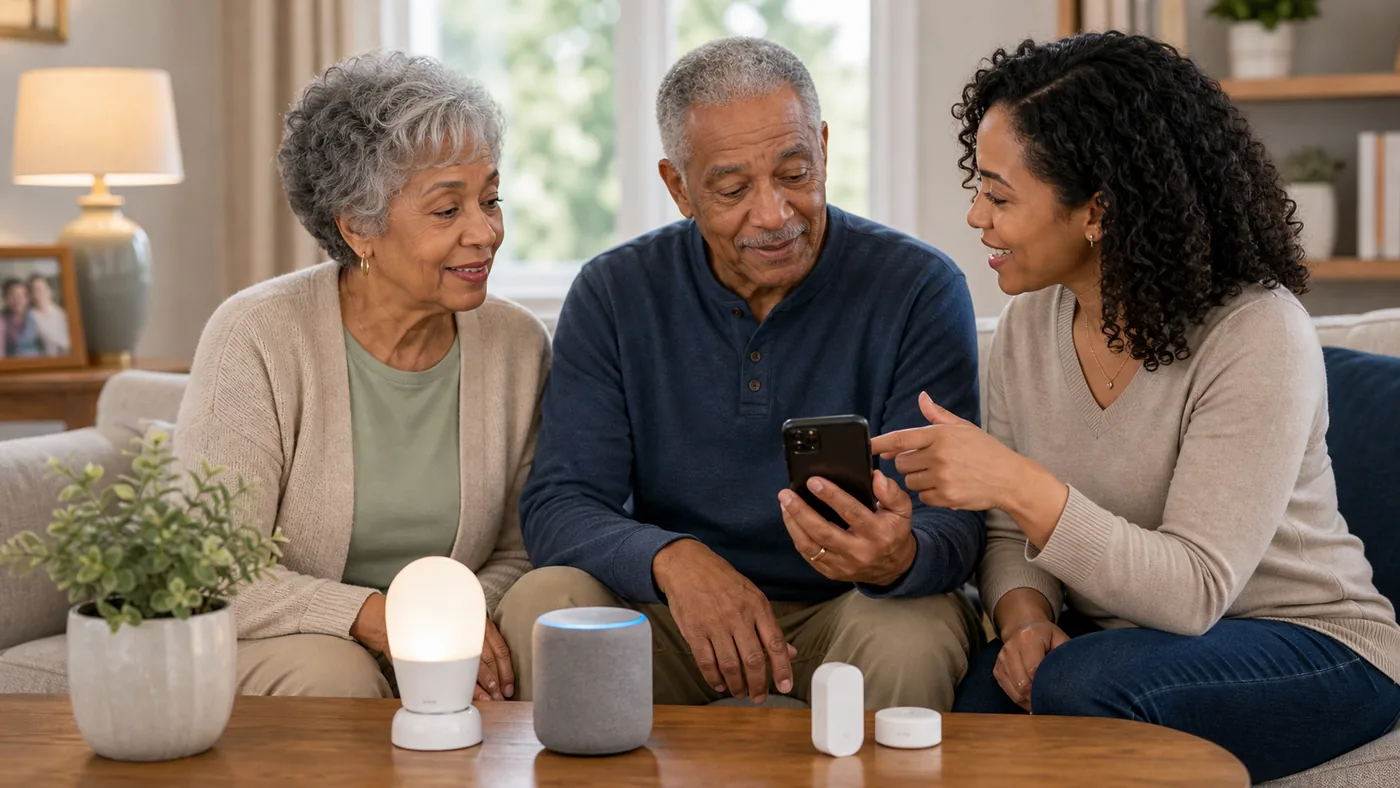
Start with low-risk convenience: lights, voice reminders, and simple routines. Add sensors or cameras only when privacy, consent, and response plans are clear.
Every smart device needs someone to own Wi-Fi, passwords, updates, batteries, app permissions, and troubleshooting.
Smart Home Direction by Need
| Situation | Best direction | Why it helps | Check carefully |
|---|---|---|---|
| Hands are full or mobility is limited | Voice assistant and smart lights | Makes simple tasks easier | Wake word, privacy, Wi-Fi reliability |
| Nighttime path safety | Motion lights or smart lighting routines | Reduces dark walking paths | Power outage behavior, glare, sensor timing |
| Forgotten appliances | Smart plugs or stove safety tools | Can reduce some routine risks | Load rating, appliance compatibility, false confidence |
| Caregiver check-ins | Door sensors or activity alerts | Can show patterns without cameras | Consent, alert fatigue, response owner |
Smart lights and voice routines
Lights and reminders solve real daily friction without feeling like surveillance.
Good fit when
- The user likes voice commands.
- Wi-Fi is reliable.
- Family can maintain the app.
Watch out for
Voice systems can misunderstand commands and need a backup switch.
Sensors before cameras
Door, motion, or leak sensors can answer simple questions with less privacy impact than cameras.
Good fit when
- A specific risk is named.
- Alerts go to the right person.
- The user understands the sensor.
Watch out for
Too many alerts become noise.
Offline fallback
A smart home should still work when Wi-Fi, power, or an app fails.
Good fit when
- Critical routines depend on devices.
- The user lives alone.
- Caregivers are remote.
Watch out for
Do not replace basic lighting, locks, or phone access with app-only controls.
Setup Checklist
- Name the routine: lights, reminders, door alerts, or appliance safety.
- Assign maintenance: one person owns passwords, updates, batteries, and Wi-Fi.
- Discuss privacy: especially for cameras, microphones, and location-like data.
- Keep manual backup: switches, keys, and phone numbers should still work.
- Review alerts: remove noisy notifications before people ignore them.
FAQ
Are cameras necessary for aging in place?
Often no. Sensors, lights, and check-in routines may solve the problem with less privacy impact.
What smart device should come first?
Usually lighting or voice reminders, because they are useful and relatively low risk.
What is the biggest smart home mistake?
Adding devices without assigning someone to maintain them.
How many smart home devices does an older adult actually need?
Usually one to three. A voice assistant, a couple of smart bulbs on the riskiest nighttime path, and perhaps one sensor tied to a specific worry. More devices mean more passwords, updates, and failure points. Every addition should remove a routine problem rather than add a feature nobody uses.
Do smart home devices work when the internet goes down?
Most lose their smart features during an outage, which is why manual backup matters. Keep physical light switches functional, maintain a basic phone that works without apps, and treat smart locks and plugs as conveniences rather than lifelines. Devices with local schedules or battery backup degrade more gracefully than cloud-only gear.
Are smart speakers safe for seniors living alone?
They can be, when the account is set up carefully. Disable purchases by voice, limit Drop In to specific family members, use the mic and camera shutters, and have one person own password resets. For many solo older adults, the check-in and reminder benefits outweigh the risks when privacy settings are reviewed together.
If the main concern is staying connected rather than automating the house, compare our Best Phones for Older Adults in 2026 guide for simpler calling, larger displays, and caregiver support.
\nIf tablets are on your list mainly for video calls and messaging, our Best Tablets for Seniors in 2026 guide compares budget picks by screen size, ease of use, and caregiver setup options.
\n\n2026 product decision layer
\nReal Products to Compare Before You Buy
\nThese are comparison candidates, not affiliate picks. Recheck current price, plan terms, coverage, and return policy before adding any buying link.
\n| Candidate | Best fit | Why it belongs in the comparison | Watch before buying |
|---|---|---|---|
| Amazon Echo Show 8 (3rd Gen) | Voice control with a screen for reminders, video calls, and smart-home dashboard | Hands-free calls to family, visible timers and reminders, Drop In check-ins, and a hub for lights and plugs without a phone | Camera shutter and mic controls, Wi-Fi reliability, who receives Drop In access, and keeping a non-smart backup routine |
| Amazon Echo Dot (5th Gen) | Lowest-friction voice assistant for lights, reminders, and calls | Cheap entry point, simple commands, works with most smart bulbs and plugs, and useful even for non-technical users | Small speaker may be hard to hear; confirm the wake word, privacy settings, and a family member who manages the app |
| Philips Hue smart bulbs + motion sensors | Automatic lighting for dark hallways, bathrooms, and bedside paths | Lights turn on with motion at night without fumbling for switches; schedules can match bedtime routines | Upfront cost per bulb, hub requirements, sensor placement, and behavior during power or Wi-Fi outages |
| Smart plug with energy monitoring (Kasa or TP-Link) | Forgotten appliances such as lamps, kettles, or space heaters | Remote off switch for family, schedules, and a way to confirm an appliance was left on without walking back | Do not use with high-load appliances against the plug rating; a plug does not replace stove or heater safety devices |
| Video doorbell (Ring or Nest) | Package theft and unexpected visitors when answering the door is hard | See and speak to visitors from a phone or display; useful for caregivers checking deliveries remotely | Subscription costs for recorded video, privacy and consent expectations, Wi-Fi strength at the door, and who monitors alerts |
| Leak sensors under water heaters and sinks | Slow water leaks that cause falls and damage | Cheap sensors can alert a family member before a small leak becomes a soaked floor and a slip hazard | Placement planning, battery replacement schedule, and which phone receives the alert |
Price and plan terms to recheck before linking
\n- \n
- Echo devices work best when one family member owns the account, password resets, and routine updates. Plan for Wi-Fi outages with manual switches and a charged basic phone. \n
- Smart bulbs and plugs should reduce routines, not replace safety devices. Keep mechanical light switches working and keep stove safety separate from smart plugs. \n
- Ring and Nest doorbells typically require a monthly plan for saved footage. Compare total yearly cost, not device price alone. \n
Best editorial recommendation
\nStart with an Echo Dot or Show 8 plus two smart bulbs for the highest-risk hallway and bathroom. Add motion sensors or leak sensors once the first routine works. Consider a video doorbell only when privacy expectations and who monitors it are agreed in advance.
\nKitchen safety context: voice routines and sensor alerts do not make cooking itself easier. If arthritis or hand weakness is the daily bottleneck, pair these devices with the kitchen-specific picks in Easy-Grip Kitchen Tools for Seniors with Arthritis (2026). Rank the whole home first with our Home Safety and Aging in Place hub.