Senior Tech Buying Guide
Best Phones for Older Adults in 2026
The best phone for an older adult is not automatically a flip phone. In 2026, the better question is: what does this person actually do every day, and who will help keep the phone usable?
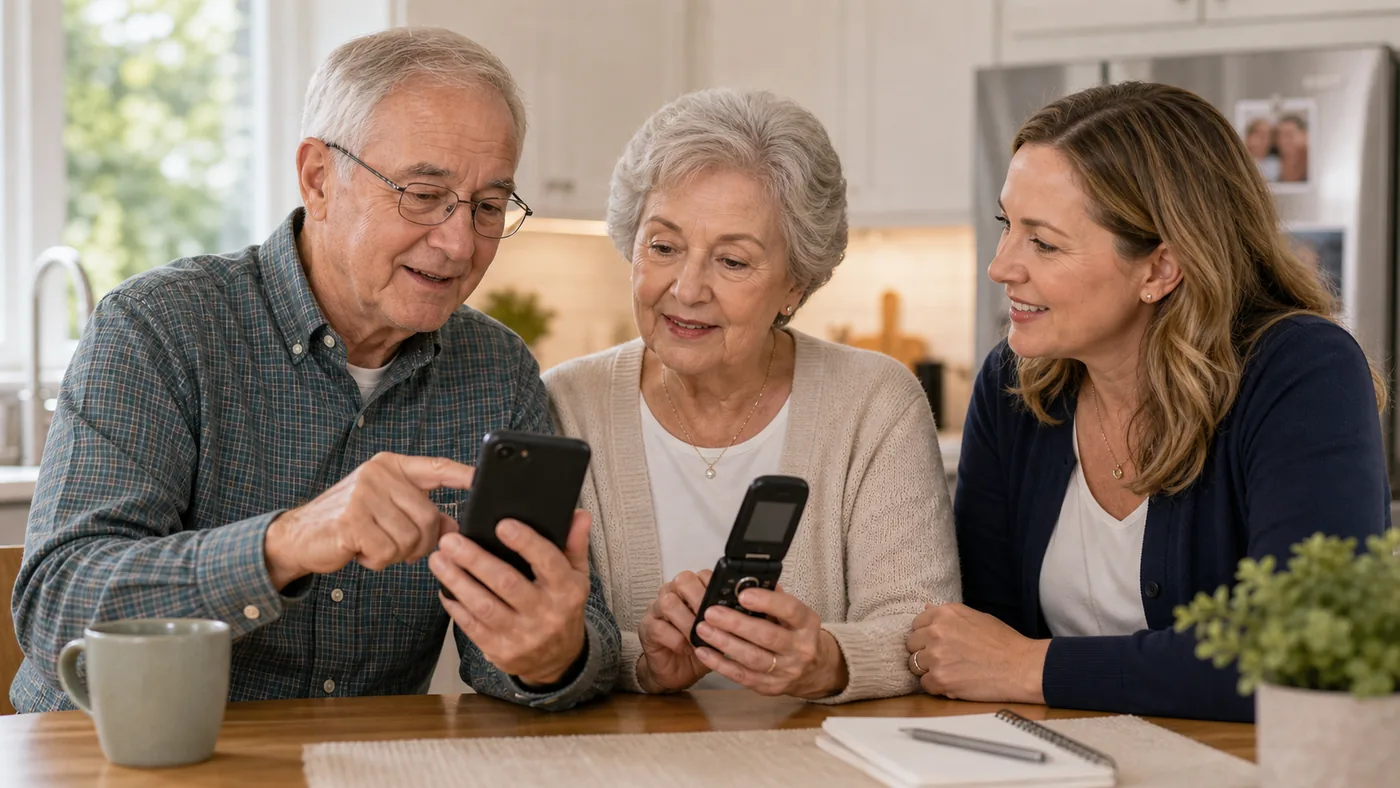
Start with the person’s real phone behavior. Many active older adults are better served by a mainstream iPhone or Android phone configured with accessibility settings. A simplified smartphone or flip phone still has a place, but only for narrower situations.
Ask whether the user wants photos, video calls, maps, texting, ride apps, banking, medication reminders, or only calls. That answer matters more than age.
Best Phone Direction by User Type
| User situation | Best direction | Why it works | Check before buying |
|---|---|---|---|
| Already texts, takes photos, video calls, or uses maps | Mainstream iPhone or Android with accessibility setup | More flexible, easier for family to support, and less likely to feel limiting after a month | Large text, simplified home screen, spam blocking, emergency contacts, account recovery, case, and charging routine |
| Wants smartphone basics but fewer menus | Lively Jitterbug Smart4 or another simplified smartphone | Large screen, list-style interface, support-oriented service model, and optional safety services | Service plan, activation fee, coverage, app limits, data needs, and whether the user may outgrow it |
| Only wants calls and light texting | Lively Jitterbug Flip2 or another simple 4G flip phone | Physical buttons and fewer distractions can reduce friction for calls-first users | Do not choose it just because someone is older; verify texting, camera, contact setup, and service cost |
| Memory support is the main issue | RAZ Memory Cell Phone-style purpose-built phone | Photo contacts and caregiver-managed settings may matter more than apps | Caregiver controls, carrier support, charging routine, emergency workflow, and return policy |
Mainstream iPhone or Android, simplified well
This is often the most future-proof option when the user already benefits from photos, messages, video calls, maps, or family app support. Apple Assistive Access and Android accessibility settings can make the phone easier without locking the person into a narrow device.
Good fit when
- Family members can help set it up and maintain it.
- The user wants modern communication, not only calls.
- Large text, captions, voice typing, and emergency features solve the main barriers.
Watch out for
A mainstream phone can still be overwhelming if notifications, home screens, account recovery, and app clutter are left untouched.
Lively Jitterbug Smart4-style phone
A simplified smartphone can be helpful for someone who wants a large screen and clearer menus, but does not want a fully open smartphone experience. It is a service model as much as a device choice.
Good fit when
- The user wants calling, texting, photos, directions, or video chat with less menu clutter.
- Family values support and optional safety services.
- Coverage is good where the person lives.
Watch out for
Monthly plan details, fees, coverage, and service add-ons matter. Compare the total cost, not only the device price.
Simple flip phone
A flip phone is not outdated for the right person. It is outdated only when it is pushed onto someone who actually wants photos, group texts, video calls, maps, or app-based services.
Good fit when
- The person wants calls first and dislikes touchscreens.
- Physical buttons reduce frustration.
- The phone is for backup, travel, or low-complexity contact.
Watch out for
Some calls-only users still need spam protection, loud audio, easy charging, and a clear contact list. Simple does not mean maintenance-free.
Purpose-built memory phone
Memory-support phones belong in their own category. The goal is not maximum features; it is safe calling, reduced confusion, and caregiver-managed contacts.
Good fit when
- Memory loss or cognitive decline makes normal menus confusing.
- A caregiver needs remote contact management.
- Photo-based calling is easier than scrolling through names.
Watch out for
Discuss the decision respectfully. A specialized phone can support independence, but it can also feel restrictive if introduced without the person’s involvement.
Buying Checklist
- Start with the current phone: What works now, what causes frustration, and what would the person miss if removed?
- Choose the support model: Decide who handles setup, passwords, updates, spam blocking, and lost-phone recovery.
- Test readability and hearing: Check text size, contrast, call volume, captions, speaker clarity, and hearing-device compatibility.
- Practice before committing: Run through calling, texting, answering unknown numbers, charging, and emergency contacts.
- Compare total cost: Include device price, activation, monthly plan, taxes, fees, support services, accessories, and return window.
FAQ
Are flip phones still good for seniors in 2026?
Yes, for calls-first users who want physical buttons and very low complexity. They should not be the default recommendation for every older adult.
Is an iPhone too complicated for an older adult?
Not necessarily. A well-configured iPhone can be easier than a restricted phone if family already uses Apple and can set up larger text, Assistive Access, emergency contacts, and fewer home-screen distractions.
What is the biggest mistake families make?
Buying a phone before watching the person use one. The best choice depends on real behavior: calling, texting, photos, maps, hearing needs, memory support, and who will help.
Should I buy based on product reviews alone?
No. Reviews help, but phone fit depends on coverage, service cost, return policy, setup burden, and whether the user can practice comfortably.
Will any senior phone work with our existing carrier?
Most simplified phones are carrier-locked to their own service plans — check before buying, because switching later usually means a new phone.
Is a bigger screen always better for older eyes?
Generally yes, but font settings matter more than size: a mid-size phone with large-font settings is easier to read than a big phone at default text size.
What is the single most useful accessibility setting to turn on first?
Display zoom plus the largest comfortable text size — it improves every app at once and takes two minutes to set.
2026 product decision layer
Real Products to Compare Before You Buy
These are comparison candidates, not affiliate picks. Recheck current price, plan terms, coverage, and return policy before adding any buying link.
| Candidate | Best fit | Why it belongs in the comparison | Watch before buying |
|---|---|---|---|
| iPhone with Assistive Access or simplified Home Screen | Older adults already in an Apple family ecosystem | Modern phone, strong accessibility settings, FaceTime, Find My, emergency features, and easier family support | Setup discipline matters: reduce apps, enlarge text, set trusted contacts, and test account recovery |
| Samsung Galaxy A-series or similar mainstream Android | Budget-conscious Android households | Large screens, flexible carriers, Google services, and Android accessibility controls without senior-only branding | Preinstalled apps, notification clutter, spam settings, update support, and who manages the Google account |
| Lively Jitterbug Smart4 | Someone who wants smartphone basics with fewer menus | Large 6.75-inch screen, list-style menu, voice typing, video chat, captions, GPS, and optional Lively services | Requires Lively service; compare monthly plan, taxes, activation, coverage, app limits, and whether the user may outgrow it |
| Lively Jitterbug Flip2 | Calls-first users who prefer physical buttons | Large buttons, simple menu, speaker, camera, charging dock, and optional Urgent Response service | Not the default for every older adult. Confirm texting, camera, spam calls, plan cost, and service lock-in |
| RAZ Memory Cell Phone | Memory-support situations with active caregiver involvement | Photo contacts, caregiver-managed settings, unwanted-call blocking, charging alerts, optional emergency services, and simplified communication | It restricts normal smartphone functions. Discuss dignity, consent, emergency workflow, carrier/service terms, and subscription add-ons |
Price and plan terms to recheck before linking
- Lively Smart4 and Flip2 are device-plus-service choices. Before adding a buying link, recheck device promotion, regular price, activation, required monthly plan, taxes and fees, optional safety services, coverage, and return policy.
- RAZ positions the phone around caregiver remote management, approved contacts, battery support, unwanted-call blocking, and optional emergency services. Verify current device price, carrier compatibility, service terms, and return policy before recommending it as a final pick.
- For mainstream iPhone or Android options, compare the total cost of the phone, carrier plan, protective case, charger setup, warranty, and family support burden.
Best editorial recommendation
Start with a mainstream phone when the person can use modern communication with the right setup. Move to Lively when simpler menus and service support matter more. Consider RAZ only when memory support and caregiver management are the central need.