Health Aids Buying Guide
Best Medical Alert Systems for Seniors in 2026
A medical alert system is not just a button. It is a response plan: who gets the alert, how fast they respond, what happens if the user cannot speak, and whether the device is actually worn.
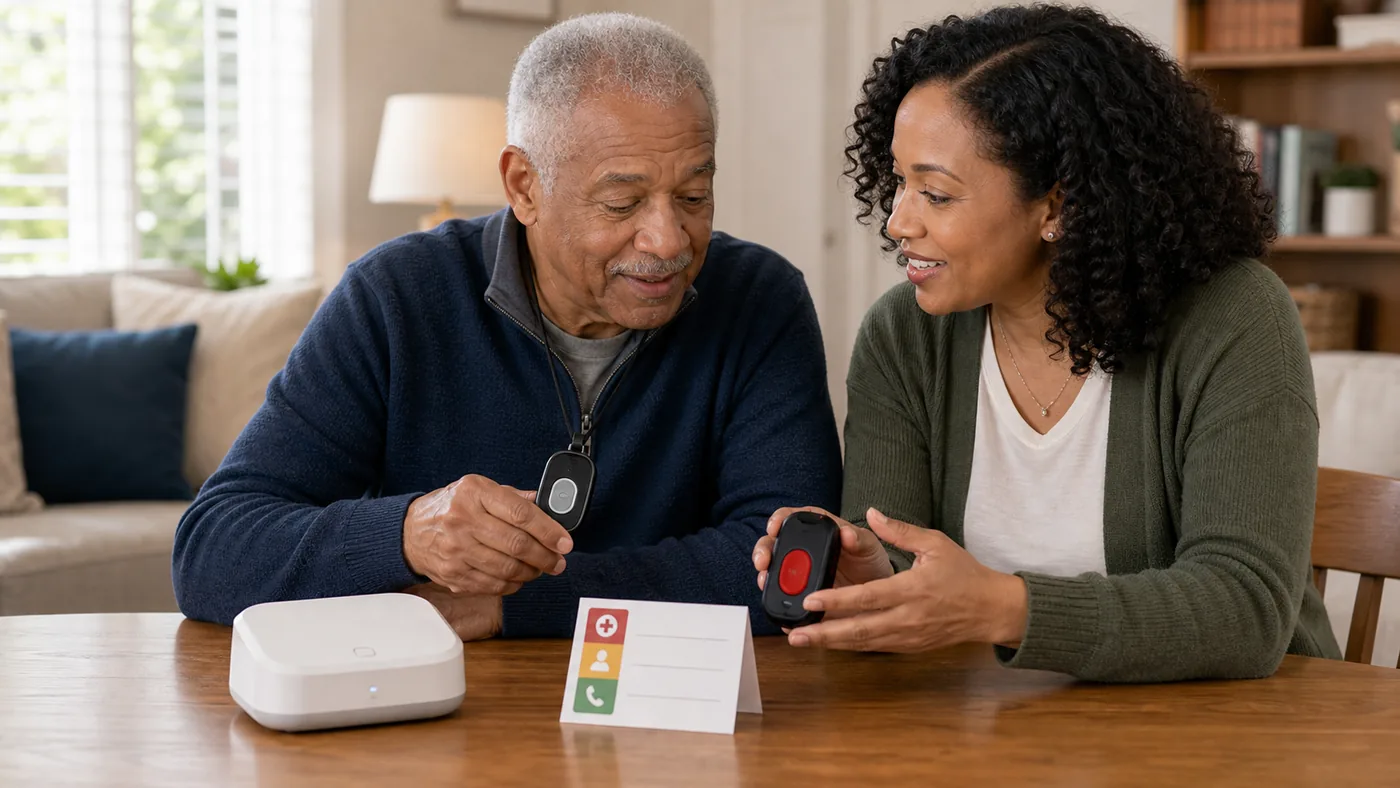
Choose by living pattern first. A homebound user, a walker in the neighborhood, and a person with memory concerns may need very different alert systems.
Fall detection and emergency response are helpful layers, not guarantees. The best system is the one the person will wear and the family knows how to respond to.
Medical Alert Direction by Situation
| Situation | Best direction | Why it helps | Check carefully |
|---|---|---|---|
| Mostly at home | In-home base station plus wearable button | Simple coverage for bedroom, bathroom, kitchen, and living room routines | Range, power backup, landline/cellular setup, monthly fee |
| Leaves home alone | Mobile alert device with GPS and cellular connection | Can request help away from the house | Coverage, battery life, charging habit, location sharing comfort |
| Fall risk is a concern | System with optional fall detection | May trigger help when the user cannot press a button | False alarms, missed falls, extra cost, device placement |
| Caregiver wants alerts | Caregiver app or contact workflow | Makes response clearer for family | Who answers, backup contacts, privacy, alert fatigue |
In-home medical alert system
A home system can be enough when most risk happens indoors and the user is comfortable wearing a pendant or wrist button.
Good fit when
- The user is usually home.
- There is reliable power and cellular or landline service.
- Bathrooms and bedrooms are inside the coverage area.
Watch out for
Check range in the actual home, especially bathrooms, garage, porch, and basement.
Mobile alert device
A mobile device fits users who walk outside, shop alone, or spend time away from the base station.
Good fit when
- The user leaves home independently.
- Charging can become a daily habit.
- Location sharing is acceptable.
Watch out for
Battery life and cellular coverage matter more than marketing language.
Caregiver workflow
The device is only useful if someone knows what to do when an alert arrives.
Good fit when
- Family wants visibility.
- There are multiple contacts.
- The user may not be able to explain the emergency.
Watch out for
Do not buy a monitoring plan until cancellation terms, fees, and response steps are clear.
Buying Checklist
- Write the response plan: list who is called first, second, and third.
- Test the wearing habit: pendant, wrist, belt clip, and charging dock all fail if they are not used.
- Check the home: test bathroom, bedroom, porch, basement, and outdoor path.
- Compare total cost: device, activation, monthly monitoring, fall detection, GPS, lockbox, and cancellation.
- Practice calmly: run a test call so the user knows what happens after pressing the button.
FAQ
Is fall detection reliable enough by itself?
No. It can help, but it can miss falls or create false alarms. A wearable button, home safety changes, and a response plan still matter.
Is monitored service better than calling family?
It depends on response availability. A monitoring center may help when family cannot answer quickly, but fees and cancellation terms should be checked.
Should every older adult have a medical alert system?
Not every person needs one. It is most useful when falls, living alone, medical concerns, or delayed help are realistic risks.
Do medical alert systems work outside the house?
Cellular and GPS-enabled pendants do; classic landline base-station systems do not — match the system to where the person actually spends time.
What monthly cost should we expect?
Most reputable services run roughly $20-50/month; be clear on cancellation terms before signing, because the fee is lifetime.
Is Apple Watch a real medical alert alternative?
For seniors who will charge and wear it nightly, its fall detection and SOS are genuine; for everyone else, a pendant that never needs charging wins.
2026 product decision layer
Real Products to Compare Before You Buy
These are comparison candidates, not affiliate picks. Recheck current price, plan terms, coverage, and return policy before adding any buying link.
| Candidate | Best fit | Why it belongs in the comparison | Watch before buying |
|---|---|---|---|
| Bay Alarm Medical / Medical Guardian | Reliable classic pendant service | Long track record, landline and cellular options, caregiver apps | Monthly fees forever; range limits indoors |
| Apple Watch fall detection | Seniors who will actually wear and charge a watch | Fall detection + SOS + no base station, works outside home | Daily charging discipline required; small-screen interaction |
| Life Alert style landline systems | Housebound users with a landline | Simple, proven, nothing to charge | Useless outside home range; landline dying out |
| Alexa Together / smart-speaker emergency | Tech-comfortable households | Falls detection via compatible device, remote family access | Service availability and features changed over the years — verify current terms |
Price and plan terms to recheck before linking
- Any pendant system is useless if it is not worn — shower-wearability decides real usage.
- Monthly fees are lifetime costs; compare cancellation terms before signing.
- Watch-based systems need the user to charge nightly or they silently stop protecting.
Best editorial recommendation
For genuinely homebound users, a cellular pendant from an established provider; for active seniors who wear a watch anyway, fall detection on the watch wins on compliance.